The Tech Support Icon Pack: Your Visual Toolkit for Modern Digital Communication
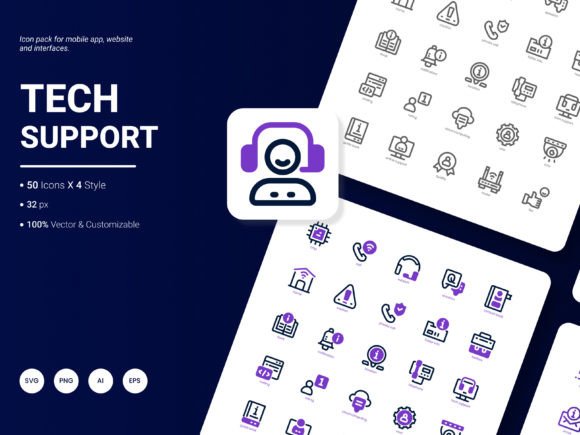
You know that moment when you’re designing a user guide for your app, or putting together a slide deck for a client presentation, and you need a quick, clear way to show concepts like “cloud backup,” “customer service,” or “system diagnostics”? That’s where a specialized set of visuals comes in, not just as decoration, but as functional communication tools. The Tech Support Icon Pack is precisely that: a curated collection of 50 icons designed to represent the most common services, ideas, and processes in the tech and support world.
Where These Icons Live in Your Projects
Think of these icons as versatile digital assets that fit into the spaces where explanation meets design. A blogger writing a tutorial on data security can use them to break down complex steps visually. A startup founder creating a pitch deck can use them to illustrate their service architecture without cluttering slides with text. Their application is deeply practical.
For instance, a freelancer building a website for a local IT repair shop might integrate these icons into the service offerings section—a clean “hardware repair” icon next to a description, or a “remote assistance” icon for a call-to-action button. This instantly makes the information more scannable and professional. Similarly, an educator developing an online course on digital literacy can embed these icons into lesson materials and infographics to highlight key concepts like “network connectivity” or “software update,” aiding in student comprehension.
More Than Just Website Graphics
While web design is a primary use, the utility extends far beyond. Consider the analytical report a marketing manager needs to present. A chart showing customer support channels can be made immediately clearer with small, consistent icons representing “live chat,” “email ticket,” and “phone support.” In mobile applications, these icons serve as intuitive navigation elements or feature indicators within an app’s settings or help section. Their flexibility means they work just as well in printed templates for quick-reference guides or internal process documentation.
The pack’s four distinct styles offer a crucial advantage: visual cohesion across different media. You can use a minimalist outline style for a sleek presentation, a more solid, filled style for bold website headers, and perhaps a lighter variant for embedded use in a dense report. This allows you to maintain a consistent visual language throughout a project, which strengthens brand identity and user experience.
Why a Dedicated Pack Makes a Difference
You could scour a generic icon library for a “server” icon, but you might end up with something too technical, too cartoonish, or simply not aligned with the support context. This pack is pre-filtered for relevance. It focuses on popular content in the domain—icons for concepts like troubleshooting, data recovery, user training, and service agreements. This saves you the hours of searching and adapting mismatched icons, letting you focus on your actual content creation.
The fact that the icons are easily edited and come in multiple file formats—AI, EPS, SVG, PNG, PDF, JPG—connects directly to real workflow outcomes. An SVG file allows a web developer to scale the icon infinitely without quality loss and change its color with CSS to match a site’s theme. A designer using Adobe Illustrator can open the AI or EPS file and tweak a detail to perfectly match a client’s existing brand assets. The PNGs are ready-to-use for a blogger quickly assembling a graphic in a simple editor. This multi-format approach means the pack is useful for both professionals with advanced software and everyday users with basic tools.
Considering Before You Use
Before applying any icon pack, it’s worth asking a few questions about your project. Does the overall style of the icons—described as fresh and trendy—align with the tone of your brand or material? A very formal, corporate document might require a more subdued aesthetic, but for most modern digital and print communications, a fresh style adds positive engagement. Also, consider completeness: with 50 icons, check if the specific concepts you need are covered. If you’re illustrating a very niche technical process, you might need a few custom icons, but for broad coverage of common tech support and service ideas, this curated set likely has what you need.
The real benefit emerges when you integrate them thoughtfully. Don’t just sprinkle icons randomly; use them to replace repetitive text, to create visual anchors in long content, or to establish a clear information hierarchy. Their strength is in enhancing understanding and improving the aesthetic flow of your material.
For Every Creator, a Different Solution
A small business owner building an online help center can use these icons to create a clear, welcoming directory of support topics. A hobbyist running a tech blog can use them to make their articles more visually engaging and shareable. A publisher producing e-books on software tutorials can embed them to break up text-heavy pages. In each case, the same set of assets solves a different communication challenge, saving time and elevating the quality of the output.
The pack isn’t about adding generic graphics; it’s about providing a specific visual vocabulary for a specific field. When you’re explaining, presenting, or designing around technology and support, having that ready-made vocabulary allows you to communicate more efficiently and effectively. It turns abstract ideas into immediate visual cues that your audience understands instinctively.
As digital communication continues to evolve, the need for clear, quick visuals only grows. This Tech Support Icon Pack serves as a practical resource to meet that need across countless real-world scenarios, from the entrepreneurial pitch to the educational infographic to the daily blog post. It’s a toolkit designed not for hypothetical use, but for the actual projects you are working on right now.
We are always looking to improve and expand our resources based on how people actually use them. Please write us with any suggestions on what we should include in our next update. Your real-world projects inspire what we create next.