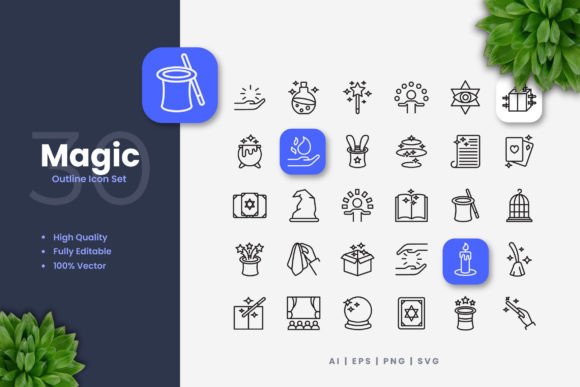
Magic Icons: A Practical Toolkit for Modern Visual Communication
In a world saturated with visuals, clarity and speed are paramount. Whether you're launching a website, designing a mobile app, or producing a flyer, the icons you choose play a critical role in guiding your audience and reinforcing your message. This is where a well-crafted icon set becomes more than just decoration; it becomes a functional tool. Magic Icons represents such a toolkit—a collection designed with simplicity and cleanliness at its core, intended for those who need effective visuals without unnecessary complexity.
The Value of Simplicity in Icon Design
Simple and clean icon design isn't merely a stylistic choice; it's a strategic one. Overly detailed icons can clutter an interface, confuse readers on smaller screens, or lose their impact in print. Magic Icons focuses on clear, recognizable forms. This approach ensures that each icon communicates its purpose instantly, whether it's a download arrow on a website button, a location pin on a mobile app map, or a social media symbol on a printed poster. For the professional aiming to strengthen communication, this clarity directly translates to better user experience and more effective messaging.
Consider a blogger creating an infographic to explain a complex process. Using intricate icons would distract from the data. The clean lines of Magic Icons, however, can serve as intuitive visual anchors, helping readers follow the flow of information without cognitive strain. Similarly, an entrepreneur designing a product flyer needs icons that are instantly understood at a glance, allowing the core product benefits to take center stage. The simplicity here solves a practical problem: it removes visual ambiguity.
Adaptability Across Mediums and Projects
A common hurdle for creators is finding assets that work consistently across different platforms. An icon that looks perfect on a desktop site might appear fuzzy on a mobile screen or lose detail when blown up for a banner. The vector-based nature of Magic Icons addresses this directly. Since the set provides files in AI, EPS 10, and SVG formats, every icon is mathematically defined, not pixel-based. This means you can resize them infinitely—from a tiny app notification to a large-scale poster print—without any loss in quality.
This adaptability is crucial for efficiency. A marketing team can use the same set of icons for their website, social media campaign graphics, and trade show banners, ensuring brand consistency and saving the immense time typically spent sourcing or creating separate assets for each medium. The included PNG files with transparency offer quick drag-and-drop usability for digital projects where vector editing isn't immediately needed, further streamlining the workflow.
Customization to Fit Your Unique Needs
While the design is clean and universal, your project often requires a specific touch. Perhaps you need to match your brand's exact color palette, adjust the stroke weight to align with other design elements, or even modify a detail to better suit your context. The editable stroke and fully customizable vectors in Magic Icons make this possible with standard software like Adobe Illustrator or CorelDRAW.
For instance, an educator creating instructional materials for a book might soften the stroke weight for a more gentle aesthetic. A freelance designer working on a client's app interface can rapidly change the color of all navigation icons to fit the new brand scheme without having to redraw anything. This level of control supports creativity, allowing you to use the icons as a foundation, not a final, unchangeable product. It’s important to note, however, that this customization requires access to and basic knowledge of vector software. For users solely reliant on PNGs, color changes would need image editing tools instead.
Who Benefits Most from This Approach?
The practical utility of Magic Icons extends across a broad spectrum of the audience. Professionals such as UI/UX designers and digital marketers benefit from the time saved and the scalable quality, which directly improves project presentation and delivery speed. Small business owners, often operating without large design budgets, gain access to high-quality, versatile assets that can elevate their customer-facing materials.
Creators like bloggers, hobbyists, and publishers find value in the set's ability to simplify decisions. Instead of scrolling through countless disparate icon styles, they have a coherent, ready-to-use library that ensures their blog graphics, ebook diagrams, or community flyers maintain a polished, unified look. Even consumers undertaking personal projects—like designing a family event invitation or a community poster—can achieve a professional result without deep design expertise, thanks to the easy-to-use PNG files and clean designs.
Integrating Magic Icons into Your Workflow
To maximize the value, think of Magic Icons as a component in your system. Start by assessing the scope of your project. For a comprehensive branding effort involving multiple outputs (website, print collateral, app), leveraging the vector source files (AI, EPS, SVG) from the outset will provide the greatest flexibility and consistency. The Readme.txt file included is intended to offer basic guidance on the formats.
For a single, urgent task like a social media post, the PNG transparency files enable a truly easy drag-and-drop process. A thoughtful observation is that while the set is comprehensive for common needs, its focus on simplicity means it may not cover highly niche or industry-specific symbols. In situations requiring very specialized iconography—for example, detailed medical equipment icons for a healthcare app—users should compare options or consider supplementing this set with more specialized assets.
A Focus on Outcomes, Not Just Features
Ultimately, the features listed—100 vectors, high-quality design, multiple file formats—serve tangible outcomes. The outcome is time saved because you aren't searching for or creating icons piecemeal. The outcome is communication strengthened because your visuals are clear and consistent across all touchpoints with your audience. The outcome is professional presentation enhanced, even for individuals with limited design resources.
By choosing a set like Magic Icons, you're investing in a visual foundation. You equip yourself with a reliable, adaptable tool that handles the fundamental need for effective icons, freeing your attention to focus on the larger creative or strategic goals of your project. In the busy lives of professionals, creators, and entrepreneurs, that kind of practical support is where real value lies.